🎉 How to Create the Ultimate Pool Party with a Smart Projector Light
You've got the pool. You've got the guests. You've got the playlist.
But something's missing.
It's the lighting.
Great pool parties don't just happen — they're created. And the secret weapon? A smart pool projector light that turns your water into a living, breathing light show.
Here's how to build the ultimate pool party experience, step by step.
🎯 Step 1: Set the Scene with Dynamic Water Ripple Effects
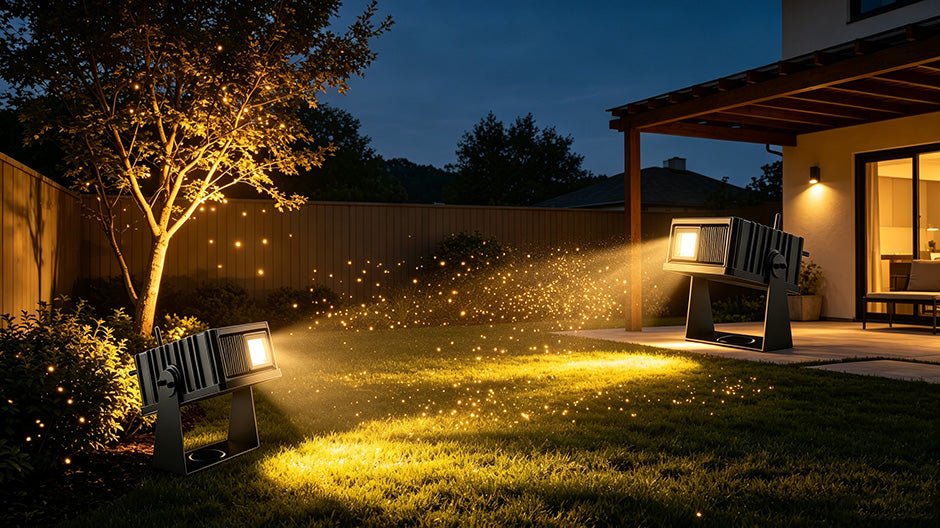
Forget boring, static lights. A water ripple projector casts dynamic ocean wave effects across your pool surface, walls, and surrounding areas. The light moves. It ripples. It creates a three-dimensional water appearance that feels immersive — like you're partying on a tropical island.
💡 Pro tip: Position your pool projector light at ground level, angled slightly upward toward the pool and surrounding walls. This maximizes the ripple effect and creates the most dramatic visual impact.
The twelvetooo HW10 covers up to 2,153 sq.ft — enough to light up an entire pool area with one device. No multiple lights needed. One unit, one stunning effect.
🎵 Step 2: Sync the Lights to Your Music
This is where the magic happens.
A music-sync pool projector has a built-in microphone that captures live sound — and colors pulse and shift in real time with your playlist. Every beat, every drop, every bass hit — the light reacts.
Imagine this: you're playing your party playlist through a Bluetooth speaker. The lights on your pool dance with the rhythm. Fast beat? Fast pulses. Slow jam? Gentle waves. Your pool becomes part of the music, not just a backdrop to it.
💡 Pro tip: Place your speaker within 10–15 feet of the projector for the best microphone sensitivity. The twelvetooo HW10's mic is designed to pick up live sound clearly — not just from your phone, but from the actual party atmosphere.
🎨 Step 3: Match Your Party Theme with 1,000+ Colors
Every party has a vibe. Your lighting should match it.
With 1,000+ colors and smooth dimming, a smart pool projector lets you dial in exactly the right mood:
- 🎈 Birthday party? Go bright and colorful — cycle through rainbow effects.
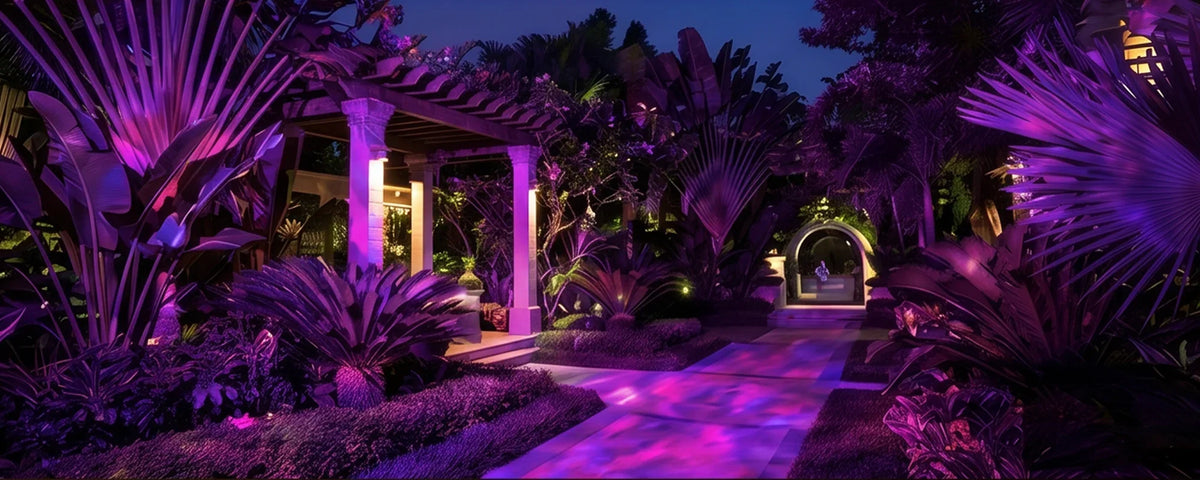
- 🎃 Halloween? Orange and purple with slow, eerie ripples.
- 🎄 Christmas? Red and green with festive wave patterns.
- 🇺🇸 4th of July? Red, white, and blue — dynamic and bold.
- 🌹 Romantic evening? Soft pink, amber, or lavender with gentle dimming.
The Surplife APP lets you save custom scenes — so your Halloween setup is ready with one tap next year. No complexity. Just one tap.
🗣️ Step 4: Control Everything Without Leaving the Pool
You're in the water. The music's playing. The last thing you want to do is climb out to adjust the lights.
With a smart pool projector light, you don't have to.
The twelvetooo HW10 offers three ways to control:
- 📱 APP Control: Change colors, brightness, and modes from your phone — even from the pool.
- 🎤 Voice Control: "Alexa, turn the pool light purple." Works with Alexa, Google Home, and Siri. No fumbling. No delays.
- 📡 RF Remote: Works through walls — no line-of-sight required.
💡 Pro tip: Set up voice commands before the party starts. That way, you (or your guests) can change the vibe with just your voice — without interrupting the flow.
⏱️ Step 5: Set It and Forget It — Timer with Memory
The party's winding down. Guests are leaving. You're tired. The last thing you want to do is remember to turn off the lights.
A pool projector light with timer memory solves this. Set your preferred color, speed, and brightness once. The timer turns the light on and off automatically — and it always comes back exactly as you left it.
Choose from 1H / 2H / 4H / 8H auto-off with cyclic restart. The light turns off when the party ends — and turns back on the next evening, with your settings intact. No re-setting. No frustration.
📋 Ultimate Pool Party Setup Checklist
- Position your projector — ground level, angled toward the pool and surrounding walls for maximum ripple coverage.
- Connect to power — plug it in and connect to 2.4G Wi-Fi.
- Set up the Surplife APP — download, register, and add your device.
- Choose your party scene — pick a color theme or create a custom scene.
- Turn on music sync — start your playlist and watch the lights come alive.
- Set the timer — choose your auto-off duration so you don't have to think about it.
- Enjoy! — you're done. The party takes care of itself.
✨ One Light. Endless Party Possibilities.
A smart pool projector light isn't just a light — it's a party engine. It turns your pool into a dynamic, interactive experience that your guests won't stop talking about.
The twelvetooo HW10 Ocean Wave Projector was built for exactly this:
- 🌊 Dynamic ocean ripple effects — 1,000+ colors with smooth dimming
- 🎵 Music-sync — built-in mic reacts to live sound in real time
- 📱 3-way smart control — APP, voice (Alexa/Google/Siri), and RF remote
- ☔ IP65 waterproof — cast-aluminum body built for all-weather outdoor use
- ⏱️ Timer with memory — set it once, it remembers
- 📡 Group control — sync up to 50 lights with one command
Ready to throw the best pool party of the year?
The twelvetooo HW10 is available now — with free shipping over $70, a 30-day risk-free trial, and a 1-year warranty.
👉 Shop the twelvetooo HW10Explore more at twelvetooo.global

Share:
Why a Water Ripple Projector Beats a Standard Pool Light – 5 Reasons to Upgrade
A Real Review from a Real Room: Why RaavMedia Channel Called the Twelvetooo 3D01 the Best